Intro

Docus AI
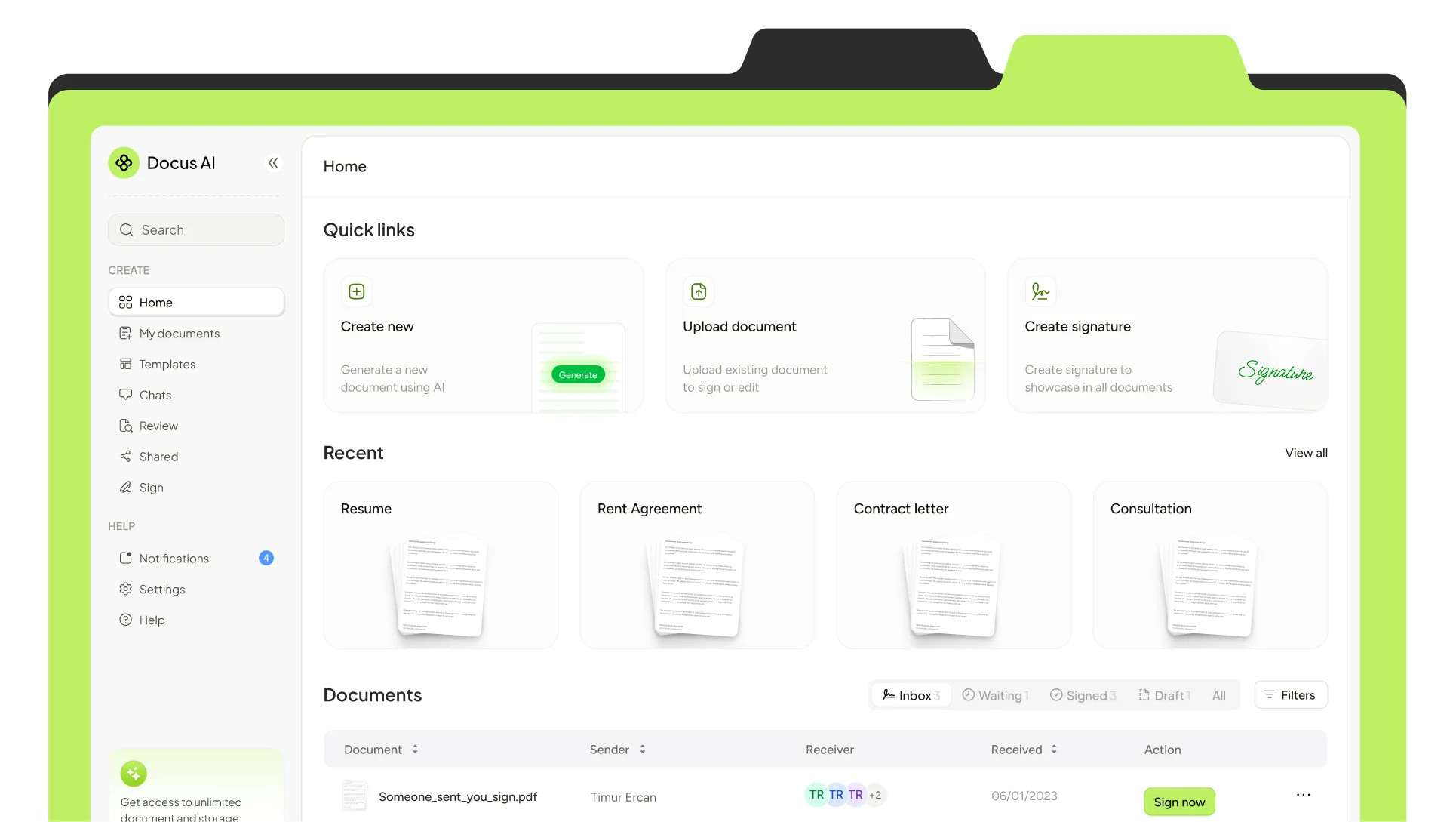
Docus AI is an AI-powered document workspace for creating, reviewing, and signing documents in one place.
Users can generate a document with AI, edit its contents, add recipients, and track it through signing.
Challenge
Making the document journey feel connected
A document’s journey extends beyond writing its content. Someone needs to review it, decide who should sign, prepare the right fields, and follow up on outstanding actions.
The design challenge was to make those steps feel connected. Senders need control over preparation and progress, while recipients need to understand what they’re reviewing and what action is required.
AI & review
From an AI draft to a document ready to share
Docus brings AI generation and review into the document workflow. A generated draft becomes a starting point that people can read, refine, and prepare for others.
The experience connects assistance with editing, keeping the document central as users move from creating content to checking its details. The goal is to support preparation while keeping people in control of the final document.
Editor
Editing tools close to the content
The editor brings together text formatting, signature placement, and page management. Contextual controls keep relevant actions close to the selected content.
The interaction studies explore these everyday moments: selecting and removing a signature, formatting text, and adding or navigating pages. Visible feedback helps communicate what changed and keeps small actions understandable.
Recipients
Making recipient responsibilities clear
Preparing a document for others introduces another layer of decisions: who needs to sign, who needs to approve, and which fields belong to each person.
The sending workflow brings those decisions together. Recipient assignments and signing order establish responsibilities before the document is shared, giving the sender a clear structure for coordinating multiple people.
For recipients, the focus shifts to reviewing the document and completing the actions assigned to them.
Tracking
Keeping progress understandable
Sending is one step in the process. Document status and recipient progress help the sender understand what is complete and what still needs attention.
Connecting preparation with tracking gives the workflow continuity: the document remains the reference point as it moves between people.
Design system
One visual language across the experience
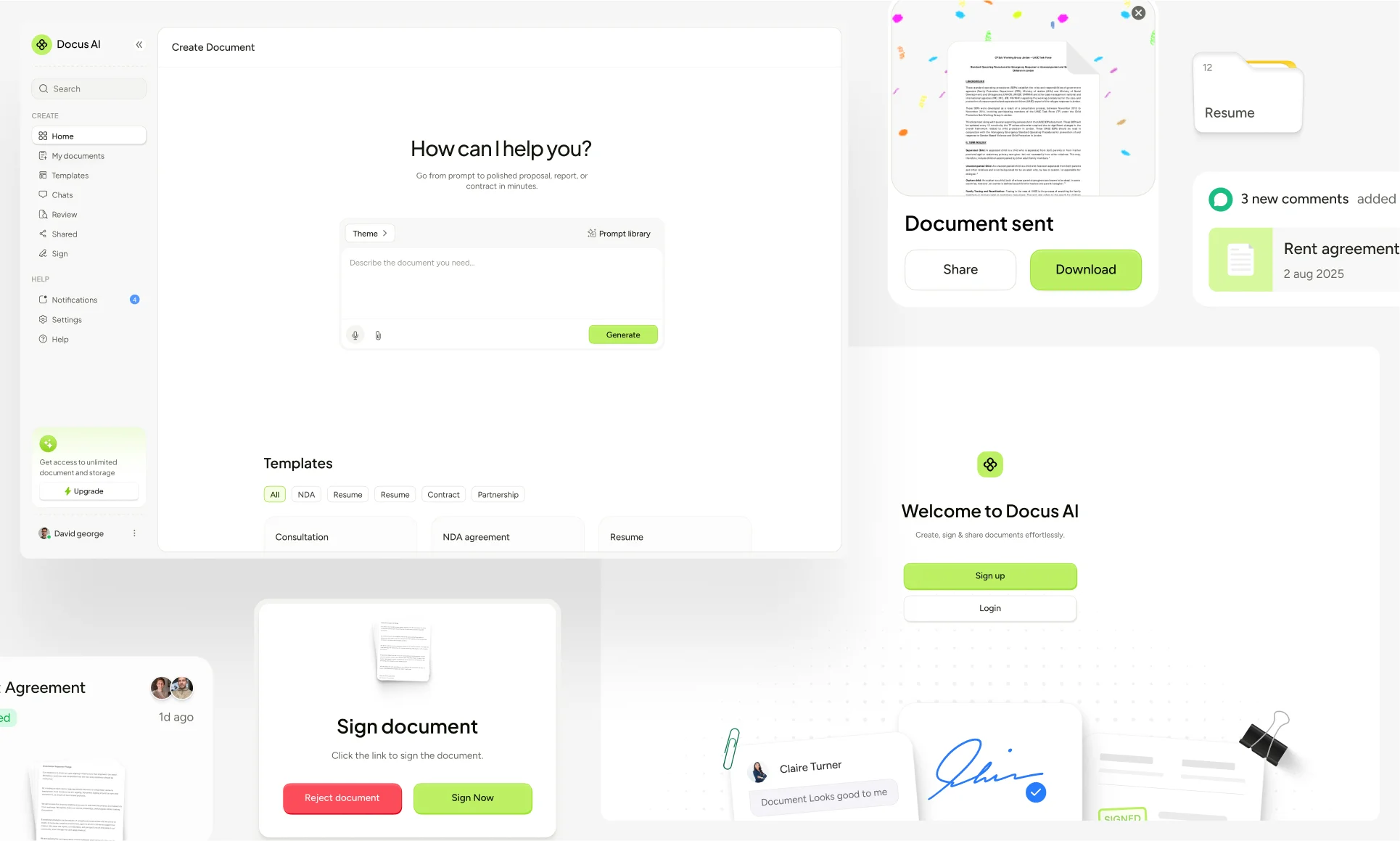
My work also covered the brand identity and design system. Shared typography, controls, and interface patterns give the editor and surrounding workflows a consistent foundation.
That consistency supports the product’s central idea: a connected workspace for creating, reviewing, sending, and signing documents.
Summary
A connected document workspace
Docus AI brings a broad document workflow into a single product experience. The design connects AI-assisted preparation with direct editing, recipient coordination, and progress tracking, with clear actions at each stage.