Intro
CoCareer
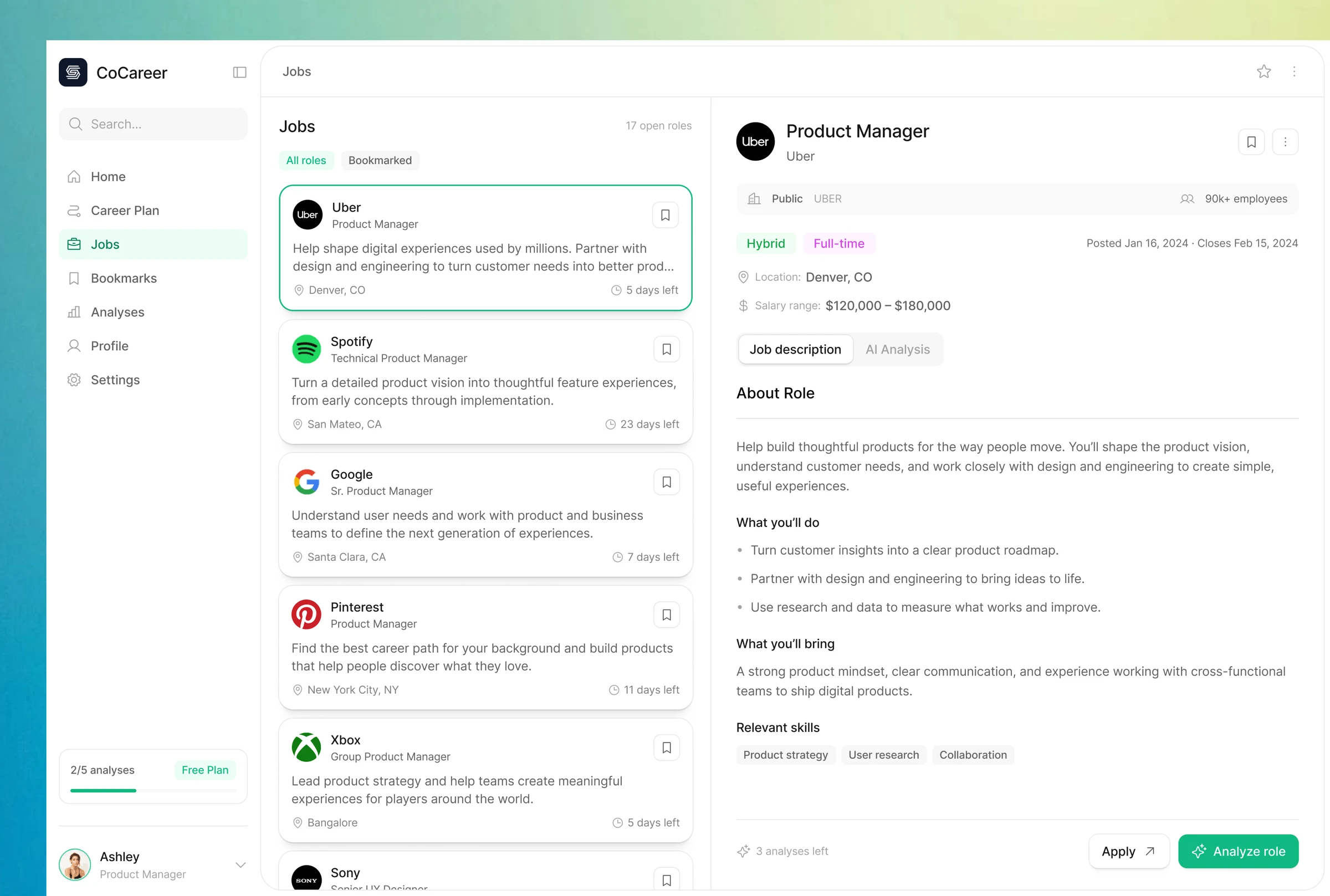
CoCareer is an AI-powered career guidance and job-search platform for people looking for their next role or exploring a career change. At APM Labs, I led research, product strategy, and design, taking the experience from early concepts through testing and iteration.
I led its pivot into CoCareer, a B2B platform that helps career coaches guide their clients, manage progress, and support their next career move.
Platform benefits published by CoCareer
- Saved per coach each month
- 80+ hours
- Saved per coach each month
- $15K+
- More client capacity
- 5×
- Role
- Product designer
- Scope
- Research, product strategy, UX/UI design, prototyping & usability testing
- Timeline
- 8 months
Challenge
Finding a role was only part of the problem
Job boards offered plenty of listings, but people still needed help understanding which roles suited them and how to move toward those roles. Career changers faced another layer of uncertainty: whether their existing strengths could translate into a different path.
The goal was to connect relevant opportunities with personal guidance, assessment, and practical next steps.
- Job seekers: Find opportunities that reflect their experience and preferences.
- Career changers: Understand possible paths and what a transition would require.
- People seeking growth: Identify strengths, skill gaps, and opportunities to develop.
Research
Understanding what people needed beyond job listings
Research combined an analysis of existing career platforms with conversations with job seekers to understand their needs, motivations, and pain points.
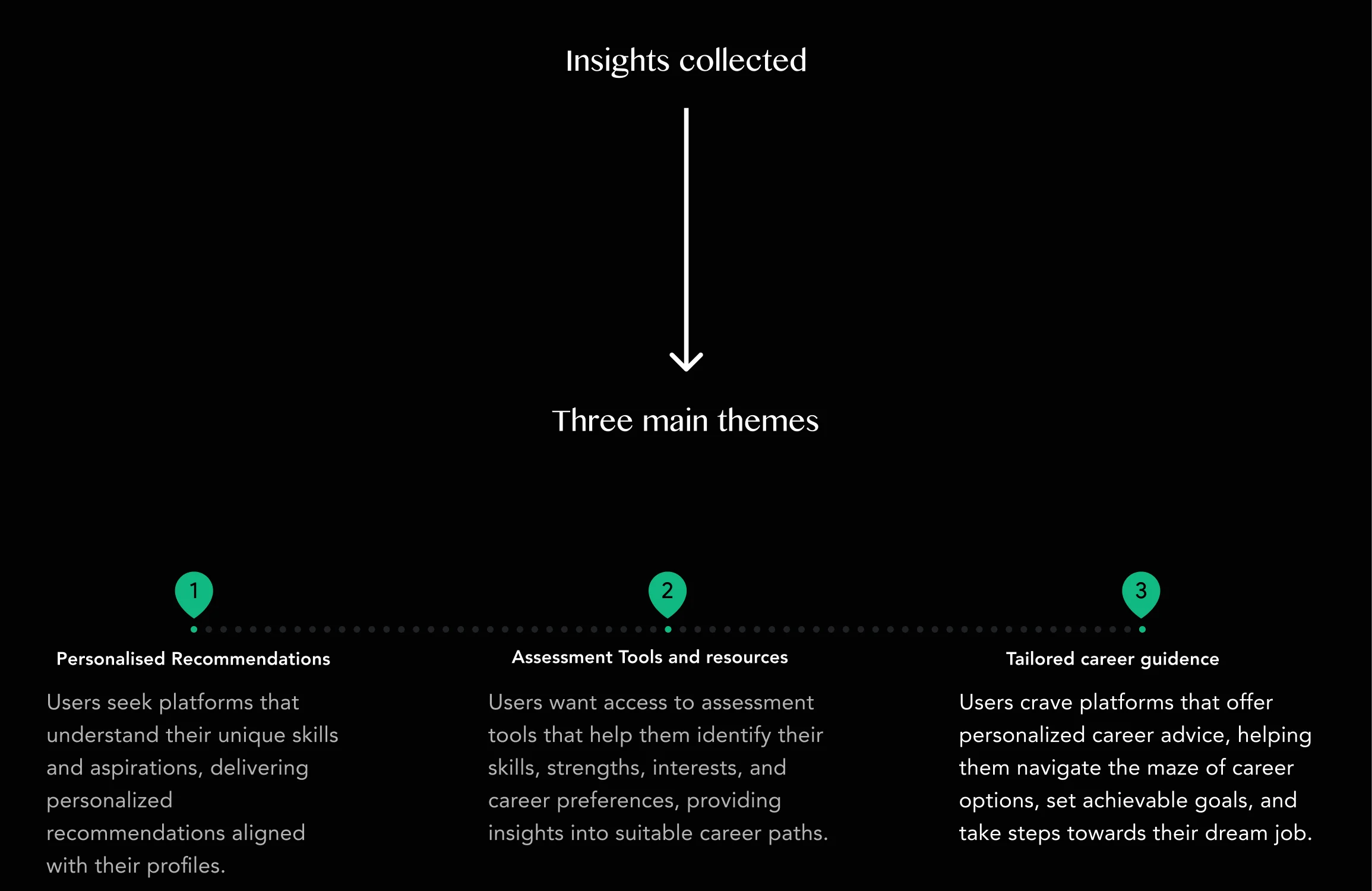
I compared Glassdoor, Indeed, LinkedIn Jobs, and Wanderer Space, looking at their strengths and gaps rather than collecting features to copy. I then organized the findings into motivations, pain points, and three recurring needs.
- Personalized recommendations: Roles connected to a person’s skills, interests, and aspirations.
- Self-assessment: A clearer understanding of strengths, gaps, and suitable career paths.
- Ongoing guidance: Useful support after the recommendation, including resources and preparation.
Design process
Turn three needs into one connected journey
I used How Might We questions and Crazy 8s to explore alternatives, then a priority matrix to focus the scope. The central flow connected discovering a suitable role with understanding gaps and taking action.
- Discover: Explore roles aligned with a profile and career goals.
- Understand: Review compatibility and the skills or experience needed.
- Act: Practice, learn, prepare, and apply, then revisit the next step.
Onboarding
Start with the person behind the profile
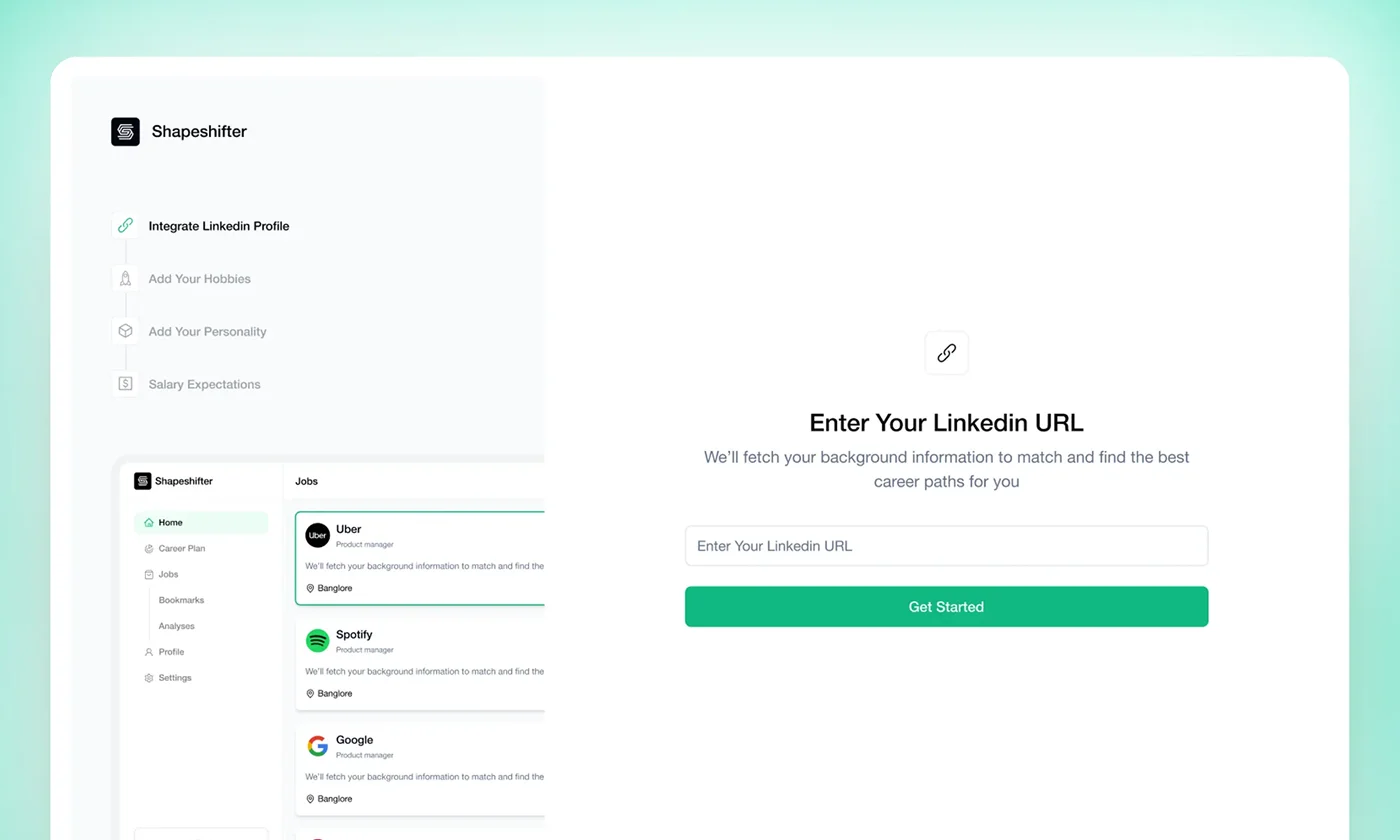
The onboarding flow gathered the context needed for personal recommendations. LinkedIn import reduced repeated entry of work history, while questions about interests, personality, and salary preferences added information a résumé alone could not supply.
Users could also describe what they wanted from their next career step. The flow then invited them to choose roles to explore, connecting setup to the wider experience.
Career fit
Make a recommendation useful beyond its score
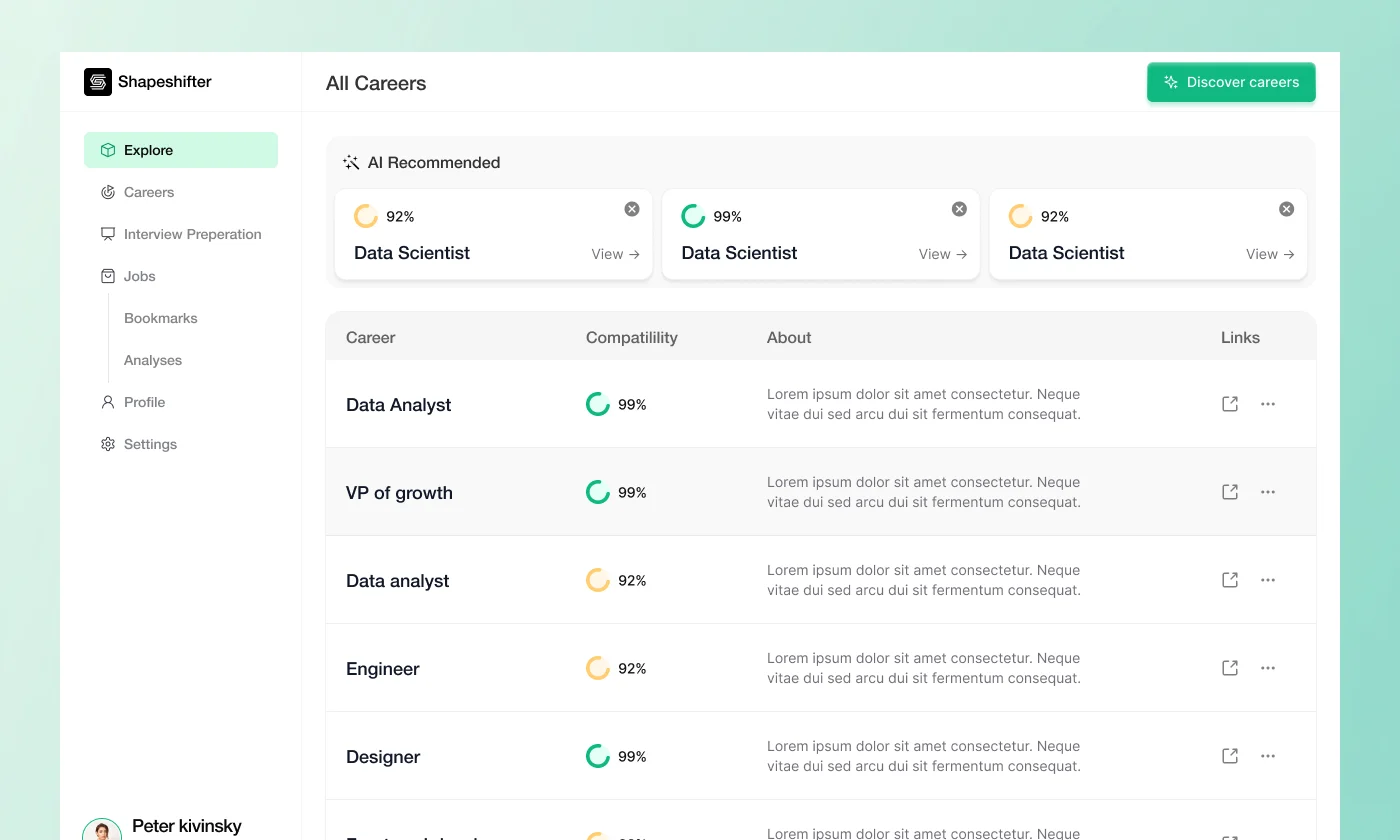
A compatibility score gave users an entry point into a more detailed assessment. The accompanying breakdown showed how their experience related to a role and where they could improve.
The design connected those findings to role information, career pathways, learning resources, and preparation tools. The AI copilot provided a way to ask follow-up questions using the profile context already gathered.
Iterations
Four changes shaped by usability feedback
Across four weeks and testing with more than 50 users, I refined the experience as recurring points of confusion emerged. The most useful feedback concerned what people understood and what they expected to do next.
- Clearer visual hierarchy: The first main page felt cluttered. I explored card layouts and reduced redundant profile information.
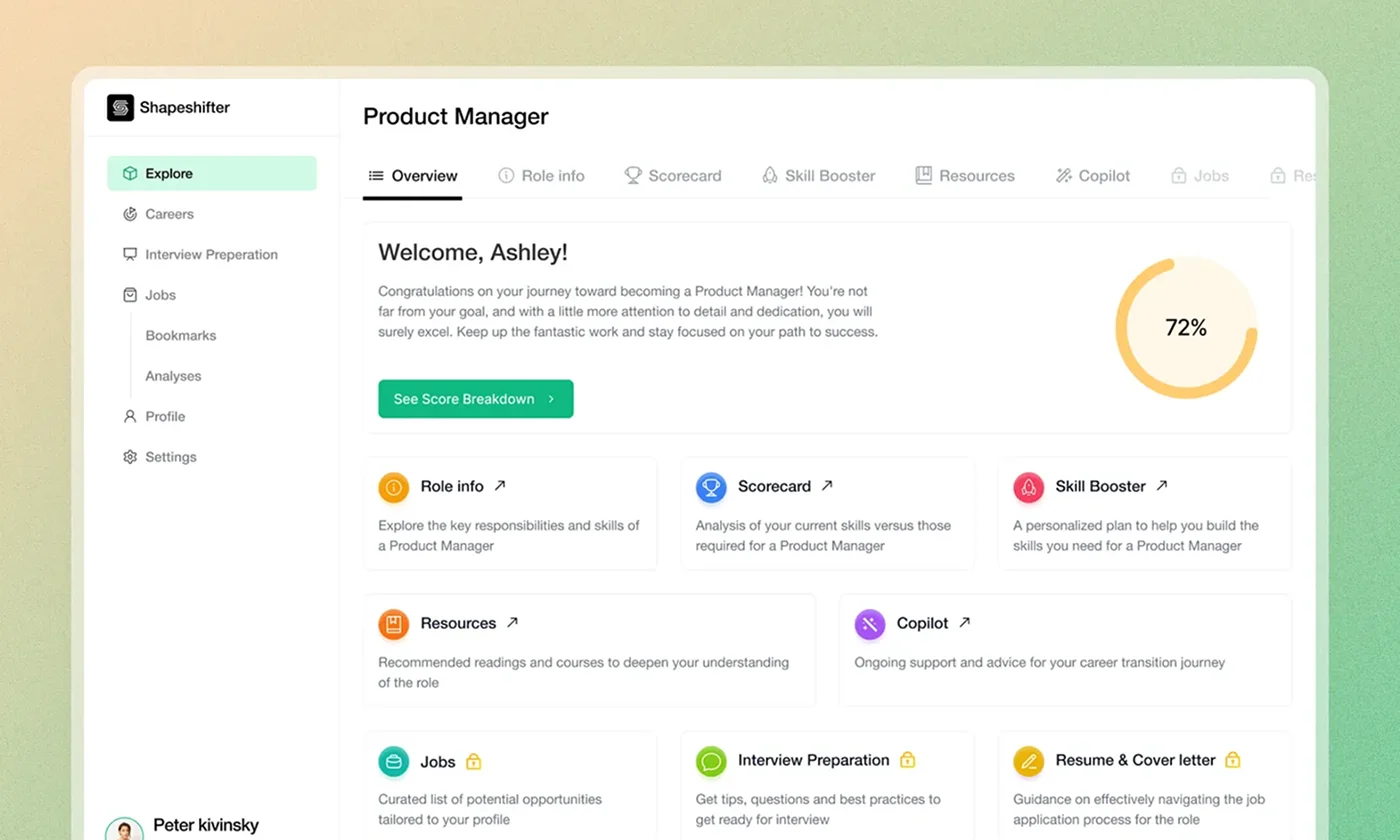
- A more useful starting page: A cleaner UI still left users unsure where to go. An overview of the available tools created clearer routes into the scorecard and other features.
- Onboarding that leads somewhere: Some users mistook the end of setup for the whole app. Step indicators, clearer wording, and continuation cues explained what followed.
- Resources that invite action: Users saved milestone resources for later without engaging. I introduced AI-generated practice assignments tailored to their experience and learning needs.
Solutions
Bring the next steps together
The role workspace brought exploration, assessment, and preparation into one experience, so users could move from “Is this right for me?” to “What can I do next?”
- Explore the role: Responsibilities, career progression, and a clearer picture of the work.
- Understand the gaps: Compatibility insights connected to areas for improvement.
- Build readiness: Milestones, resources, practice assignments, and interview preparation.
- Ask for guidance: A career copilot informed by the user’s background and preferences.
B2B pivot
Designing for the coach behind each career journey
The pivot to CoCareer called for a new product direction: helping career coaches guide multiple clients through their next career move. I shaped that direction and designed the client management dashboard around the coaching workflow.
The design challenge changed from helping one person decide what to do next to helping a coach understand where each client stood and who needed attention. The dashboard brought client management and progress into a shared view, supporting the ongoing relationship between a coach and their clients.
- Manage clients: Give coaches a central place to follow their clients’ career journeys.
- Make progress visible: Connect individual client activity with a broader view of the coaching practice.
- Support follow-through: Bring guidance, progress tracking, and follow-ups into the coaching workflow.
Impact
Supporting coaches and their clients at scale
My scope spanned the product experience from individual career guidance to client management for coaches. CoCareer is backed by Antler and supported by Microsoft for Startups.
Reflection
A recommendation needs a clear next action
The homepage iterations taught me that improving visual clarity was only one part of the problem. Even after the interface looked cleaner, users still needed a clear explanation of what they could do and where to start.
I saw the same pattern in learning resources: making something relevant did not automatically make it actionable. The move toward practice assignments came from observing that gap between saving a resource and using it.
For me, the core design lesson was to connect insight with action. A score, a suggested role, or an AI answer becomes more useful when the experience helps someone decide what to do with it.